Create API Key
This guide will help you generate API key
warning
- Remember that your API key is a secret! Do not share it with others or expose it in any client-side code (browsers, apps).
tip
- You can create multiple API keys with different expiry dates.
- You can also edit comment, revoke or delete the API key you created if you want to.
1. Login to Conductify AI Studio
2. Create API Key
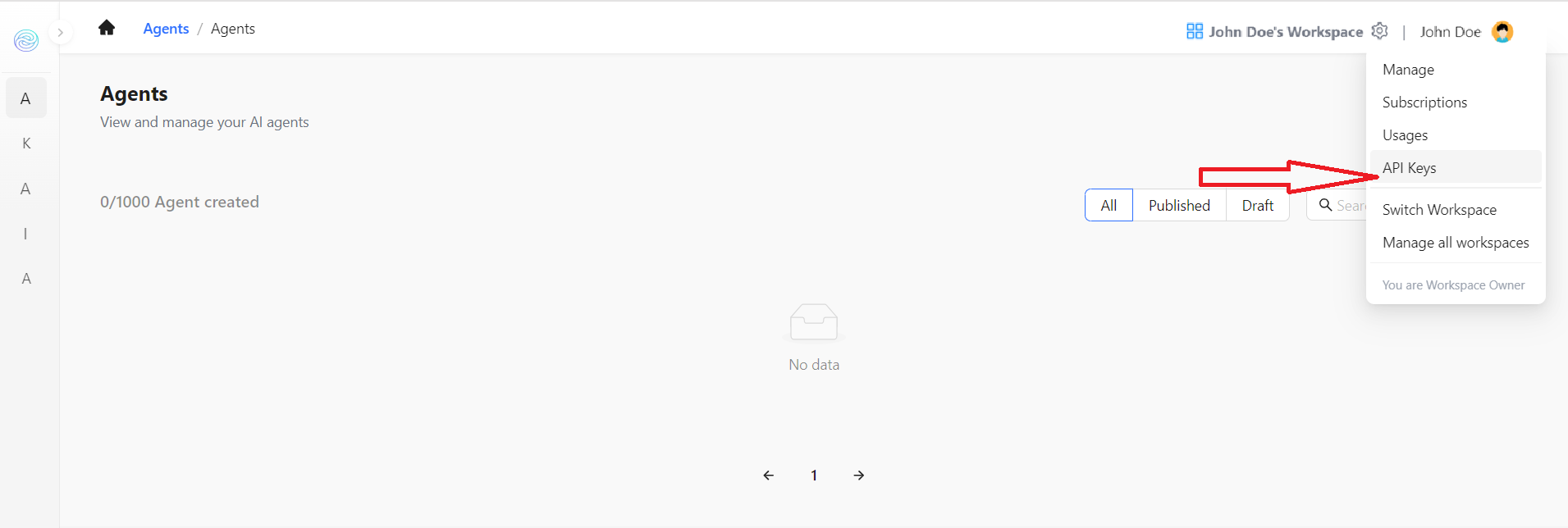
- On the Homepage, click on the setting icon located on the left corner of the screen then select API Keys
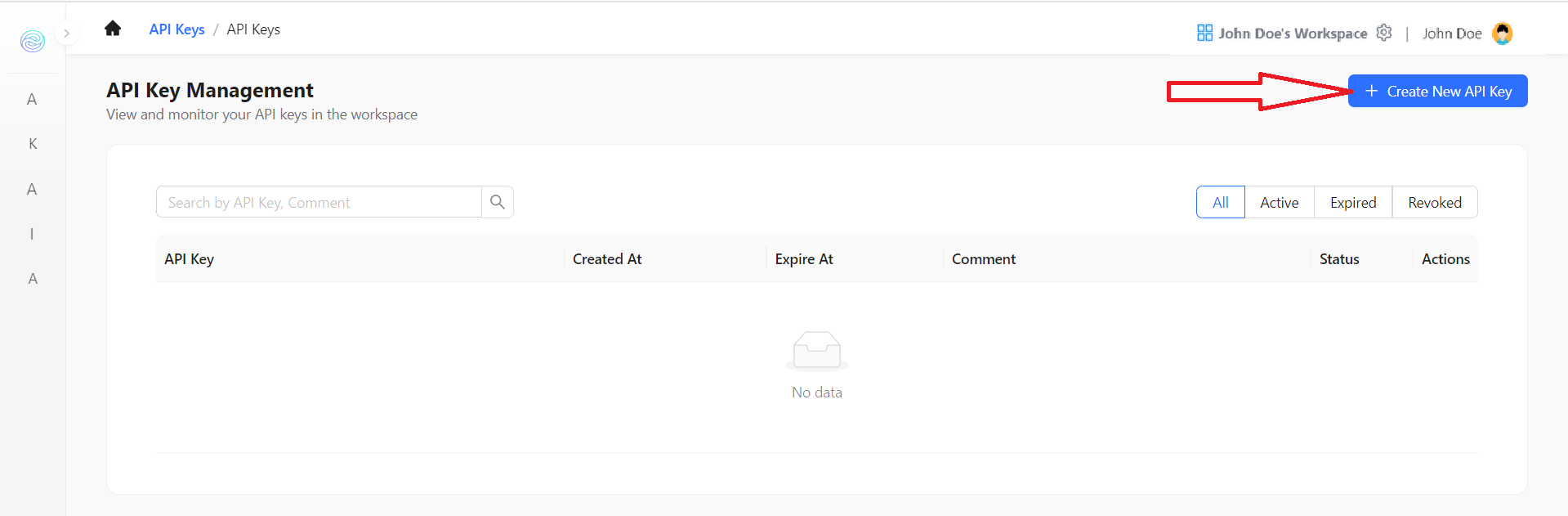
- Click on the Create New API Key button
-
A modal will appear, there are 2 fields to fill:
- Expire in: Expiry date of API key (Never is no expiration date)
- Comment: Description of the API Key, can be customized (example: "API Key for example.com website")
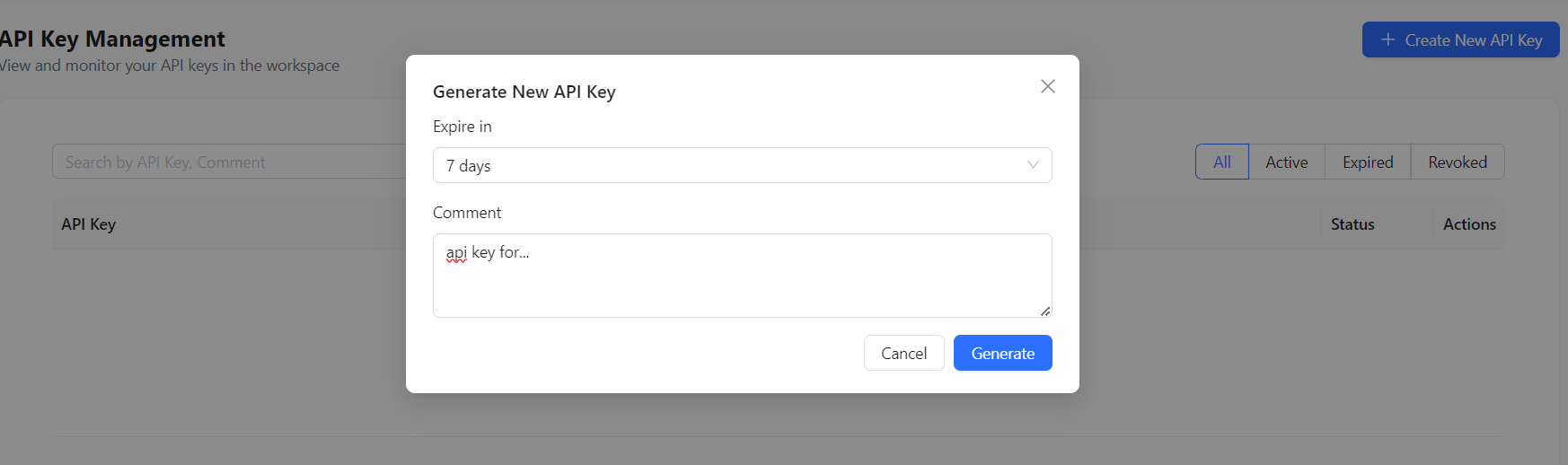
- Click on the Generate button, you will see the API Key in the list of API Keys